
Export Your Collection to Facebook Marketplace and eBay
We added Export so you can move from identifying and saving pieces to actually listing them. From your Collection, select items and export to CSV for Facebook Marketplace or eBay. Your IDs, categories, and valuations are pre-mapped so you spend less time retyping and more time selling.

Export Your Collection to Facebook Marketplace and eBay
Quick Take
You identify and save pieces in Tocuro; Export is how you turn that into listable inventory. Choose Facebook Marketplace or eBay (or a plain CSV of your data), select the items you want, and get a file you can share or download—then upload to FBM or eBay Seller Hub and finish the listing there.
Where to Find It
Export lives on your Collection screen. Tap Export (next to Dashboard), and you'll see the same saved items—with checkboxes so you can pick exactly what to export.
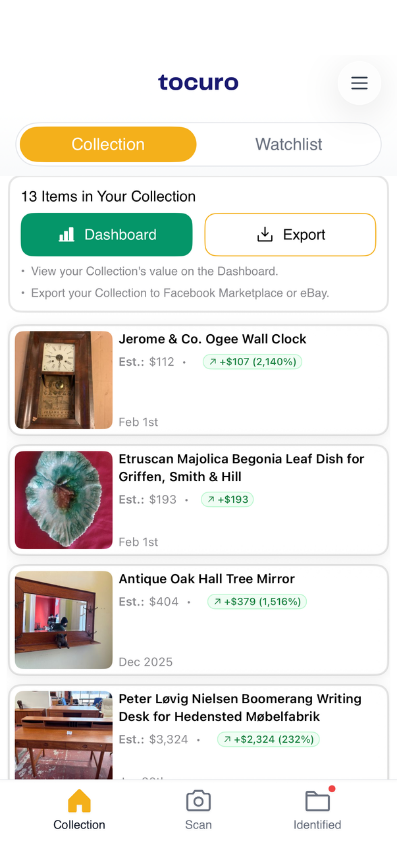
Collection screen with Export button visible next to Dashboard.
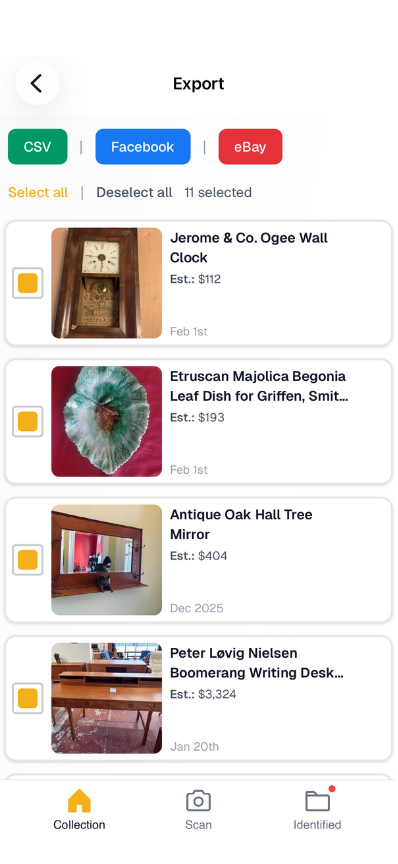
Export screen with CSV, Facebook, and eBay buttons and items selected with checkboxes.
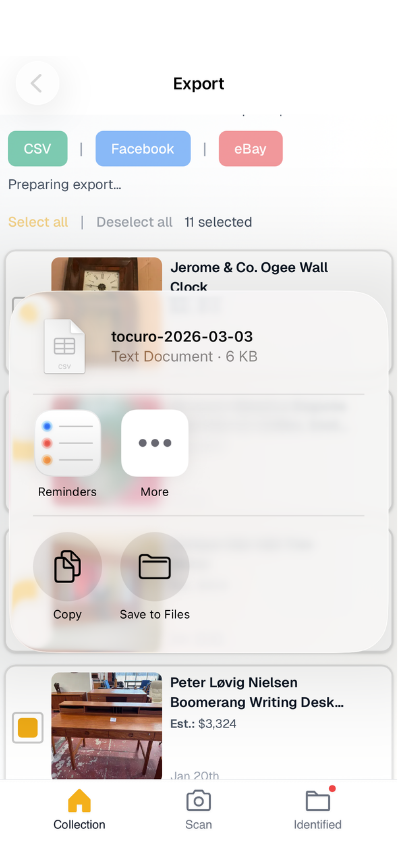
Export screen with file ready to share or download.
What You Get
- •Facebook Marketplace — CSV formatted for FBM: title, price, category, and other required fields. We map your Tocuro data into FBM’s taxonomy and column expectations.
- •eBay — Draft-listing CSV for eBay Seller Hub. Your IDs, categories, and valuations are adapted into eBay’s draft format.
Same for both: not a 1:1 copy of our schema, but what works best for that marketplace.
- •CSV (your data) — Full schema export if you want a backup or your own spreadsheet: IDs, object type, category, designer, pricing, and more.
You pick one format per export. All three use the same selection from your Collection; the mapping is tailored to each destination.
How It Works
- •Open Collection and tap Export.
- •Select the items you want (or Select all).
- •Tap Facebook, eBay, or CSV.
- •Use Share if your device supports it, or download the file.
- •Upload the CSV to Facebook Marketplace or eBay and complete the listing (photos, description edits, etc.).
We kept it simple on purpose: your Tocuro data does the heavy lifting so you're not re-entering everything by hand.
Why We Built It
Collecting and selling often overlap—you thin the herd, make room for new pieces, or finally list something you've had for years. Export is the bridge between "I know what this is and what it's worth" and "it's live on Marketplace or eBay." We don't just dump your schema—we map it into what each platform needs, so you get list-ready files instead of a generic export.
For step-by-step help, see Exporting your collection in Help.
Try it from your Collection.
Photo identification
Identify Your Item
Use Tocuro to identify your item from a photo and get an estimated value range when market data is available.